Website Cyber Hygiene: Building a Routine That Protects Your Domains
<h2>Website Cyber Hygiene: Building a Routine That Protects Your Domains</h2><h3>Table of Contents</h3><p><a href="#introduction">Introduction</a></p><p><a href="#what-cyber-hygiene-means-for-websites">What Cyber Hygiene Means for Websites</a></p><p><a href="#why-regular-scanning-matters">Why Regular Scanning Matters</a></p><p><a href="#the-anatomy-of-a-good-security-routine">The Anatomy of a Good Security Routine</a></p><p><a href="#automated-vs-manual-checking">Automated vs Manual Checking</a></p><p><a href="#how-scansentinel-enables-hygiene-habits">How ScanSentinel Enables Hygiene Habits</a></p><p><a href="#integrating-security-into-your-workflow">Integrating Security Into Your Workflow</a></p><p><a href="#actionable-recommendations">Actionable Recommendations</a></p><p><a href="#start-your-hygiene-routine">Start Your Hygiene Routine</a></p>
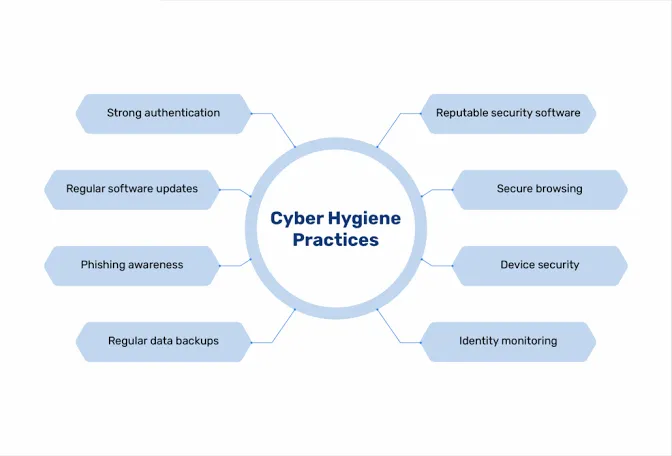
Website Cyber Hygiene: Building a Routine That Protects Your Domains
Introduction
We brush our teeth twice a day, change the oil in our cars every few thousand miles, and run backups on a schedule. These aren't crisis responses — they're habits. They prevent problems rather than reacting to them.
Website security is no different. Yet most organisations treat it as a reactive discipline. They check their SSL certificate when it expires. They look at their security headers when a penetration test comes back with findings. They discover an open database port when they see an unfamiliar entry on their cloud bill.
Cyber hygiene is the practice of treating security as an ongoing routine rather than an intermittent emergency. It means checking your external attack surface on a schedule, tracking your security posture over time, and fixing small issues before they become incidents. It's less dramatic than incident response, but it prevents orders of magnitude more damage.
This article explains what cyber hygiene means for websites, why regular scanning is essential, how to build a security routine you'll actually follow, and how ScanSentinel automates the repetitive parts so you can focus on the parts that require human judgment.
What Cyber Hygiene Means for Websites
In medicine, hygiene means washing your hands, cleaning wounds, and sterilising equipment — small, regular actions that prevent infection. In computing, the concept translates directly. Cyber hygiene is the set of routine practices that maintain the health and security of your digital assets.
For websites, cyber hygiene covers:
Certificate maintenance — Monitoring SSL/TLS certificate validity and expiry dates. Ensuring renewal automation is working. Updating certificate chains when intermediate certificates change.
Server configuration — Maintaining security headers. Keeping TLS protocol versions and cipher suites current. Removing support for deprecated protocols and algorithms as standards evolve.
Attack surface management — Knowing which ports are open and why. Identifying publicly accessible services that shouldn't be public. Discovering forgotten subdomains that still point at active servers.
DNS health — Maintaining SPF, DKIM, and DMARC records. Updating SPF includes when you change email providers. Ensuring your DMARC policy is enforced, not just present.
Access auditing — Reviewing who has access to your hosting, DNS, and domain registrar accounts. Removing former employees. Enforcing multi-factor authentication.
Software updates — Keeping your CMS, plugins, frameworks, and server software on supported versions with security patches applied.
Notice that none of these are one-time tasks. Certificates expire. Best practices evolve. Software ages. Team members come and go. Cyber hygiene is the ongoing discipline of keeping all these plates spinning — not spinning them up once and walking away.
Why Regular Scanning Matters
The Half-Life of a Clean Scan
You run a comprehensive security scan today. Everything looks good. Certificates are valid. Headers are in place. Ports are closed. You feel confident.
How long does this confidence remain justified?
The honest answer is: not long. Here is what can change without anyone noticing:
Day 7: A developer deploys a hotfix that updates the Nginx configuration on one of your load balancers. The new configuration file doesn't include the add_header directives. Your CSP, X-Frame-Options, and Referrer-Policy silently disappear.
Day 14: Your Let's Encrypt renewal cron job fails because the .well-known/acme-challenge directory was moved during a server migration. No alert was configured for this failure. Your certificate now has 76 days remaining — still valid, but on a countdown.
Day 23: A team member spins up a staging database server and temporarily opens port 5432 to 0.0.0.0/0 for remote access during development. They intend to close it. They forget.
Day 45: You switch your email delivery from SendGrid to Postmark. The old SPF record still includes sendgrid.net. The new one doesn't include Postmark. Transactional emails from your application start landing in spam folders.
Day 67: Your certificate expires. Users see a security warning. Trust is damaged.
None of these changes announced themselves. Each one was a small, individually reasonable action that had a security side effect. A single scan on Day 1 would have caught none of them. Scans on Day 7, Day 14, Day 23, Day 45, and Day 67 would have caught each change within the scan interval.
Trend Data vs Point-in-Time Data
A single scan tells you your posture at one moment. A history of scans tells you the trend.
Trend data lets you answer questions that point-in-time data cannot:
Is our security posture improving over time, or are we slowly accumulating problems?
Did the last deployment introduce any configuration drift?
Are certain types of findings recurring, suggesting a systemic process gap rather than a one-off mistake?
Which domains need the most attention, and are they getting it?
These are management questions, not just security questions. They're the difference between knowing you passed an audit and knowing whether you're becoming more secure. Audit pass/fail is binary and backward-looking. Trend is directional and forward-looking.
ScanSentinel tracks your security score history over time, showing score progression in your dashboard reports. A downward slope after a deployment is a signal to investigate. A steady upward slope across months is evidence that your hygiene routine is working.
The Anatomy of a Good Security Routine
A security routine doesn't need to consume your week. For most small to medium organisations, fifteen minutes a day and an hour a week is sufficient — provided the right automation is in place. Here's what an effective routine looks like:
Daily (5–15 minutes)
Review automated scan alerts. If you have daily scanning configured, check your dashboard or email digest for new findings. High and critical severity findings should be triaged immediately.
Verify scheduled tasks. Confirm that yesterday's scans completed successfully. A failed scan is a blind spot.
Check certificate expiry. Most platforms show days remaining at a glance. If anything is under 30 days, escalate.
Weekly (30–60 minutes)
Deep-dive on findings. Review the week's findings in detail. Are there patterns? Is the same issue recurring across domains?
Prioritise and assign. For each open finding, decide: fix now, schedule for next sprint, or accept the risk. Assign ownership. Unassigned findings don't get fixed.
Review score trends. Check whether your overall security scores are trending up, down, or flat. Investigate any significant changes.
Verify email authentication. Confirm your SPF, DKIM, and DMARC records haven't changed. If you receive DMARC aggregate reports, review them.
Monthly (1–2 hours)
Full domain review. For each monitored domain, confirm: it's still active, it's still being scanned, and DNS records haven't drifted.
Access audit. Review who has access to: your domain registrar, DNS hosting, web hosting, CDN, email provider, and monitoring tools. Remove stale access.
Update documentation. If you've changed email providers, added new services, or modified your infrastructure, update the corresponding records so your team has an accurate picture of your external footprint.
Review and tighten policies. Can your DMARC policy move from none to quarantine? Can your SPF policy move from ~all to -all? Incremental tightening is the goal.
Quarterly (2–4 hours)
Full external penetration test or review. Automated scanning catches configuration issues. Manual review catches logic flaws, business logic vulnerabilities, and application-layer issues that automated tools miss.
Policy review. Are your current security standards still appropriate? Do you need to add new scanners or checks as your infrastructure has grown?
Incident review. Look back at the last quarter. Were there any security incidents or near-misses? What hygiene practice could have prevented or mitigated each one?
Automated vs Manual Checking
What Automation Does Well
Frequency and consistency. Automation never forgets to run. It doesn't skip weekends. It doesn't put off scans because other work is more urgent.
Coverage. An automated scanner checks the same comprehensive set of items every time. A manual checker might focus on what they checked last time or what they're most familiar with.
Trend tracking. Automation stores results in a structured format, making historical comparison trivial. Manual records are often inconsistent or non-existent.
Alerting. Automation can push notifications to email, Slack, webhooks, or other channels when findings change. Manual checking only finds problems when someone looks.
What Manual Checking Does Well
Contextual judgment. An automated scanner reports that port 22 (SSH) is open. A human knows whether that is expected, intentional, and appropriately secured.
Novel threats. Automation checks for known patterns. A skilled human can recognise that something looks wrong even if it doesn't match a predefined rule.
Priority and trade-offs. Automation ranks by severity. Humans factor in business context: a medium-severity finding on your payment-processing domain may be more urgent than a high-severity finding on a read-only brochure site.
The Right Balance
The goal is not to automate everything. The goal is to automate the repetitive, high-volume work — scanning, comparing, alerting, tracking — and reserve human attention for judgment, investigation, and remediation.
ScanSentinel embodies this balance. The platform handles the scanning, scoring, alerting, and historical tracking automatically. You review the findings, apply your contextual knowledge, prioritise, and fix the issues. The platform is the routine; you're the decision-maker.
How ScanSentinel Enables Hygiene Habits
ScanSentinel was designed around the concept of routine — not one-off auditing. Every feature supports the habit of regular cyber hygiene.
Automated Scheduled Scanning
Configure a scan schedule that matches your domain's risk profile. A customer-facing web application handling payments might justify daily scanning. An internal wiki might need only weekly or monthly checks. Once configured, scans run automatically and results appear in your dashboard. You don't need to remember to run them.
The Free plan supports weekly manual scans. The Pro plan adds daily scheduling. The Business plan supports real-time scanning with no interval restrictions.
Intelligent Alerting
New findings trigger alerts based on severity. Low-severity findings are informational — you'll see them when you check the dashboard. Medium and high findings trigger email notifications. Critical findings can trigger webhooks to your incident response channels.
Alerts are the bridge between automation and action. The platform runs the scan automatically. The alert brings issues to your attention. You decide what to do about them.
Trend Tracking and Reporting
Every scan result is stored in your scan history. Your dashboard shows score trends over time — is your posture improving, stable, or degrading? Reports give you a professional summary suitable for sharing with clients, managers, or compliance auditors.
This turns security from a binary (broken/not broken) into a continuous improvement practice. You celebrate when scores go up. You investigate when they go down.
Team Collaboration
Cyber hygiene shouldn't depend on one person. ScanSentinel's multi-tenant architecture supports team accounts with role-based access. Assign domain ownership. Share reports. Invite clients to view their own scan results. When the person who normally handles security is on holiday, the rest of the team can see the dashboard and know that scans are still running.
Integration With Your Workflow
Webhooks let you connect ScanSentinel alerts to Slack, Discord, Microsoft Teams, or any HTTP endpoint. When a critical finding is detected, post it to your #incidents channel. When a certificate is approaching expiry, create a ticket in your project management tool. The platform fits into your existing communication patterns rather than asking you to check yet another dashboard.
Integrating Security Into Your Workflow
Building a hygiene practice means embedding security checks into processes you already follow:
Pre-Launch
Before deploying a new site or application, run a ScanSentinel scan. Fix any findings before the site goes live. Add the domain to your monitoring schedule so you continue checking after launch.
Post-Deployment
After any infrastructure change — server migration, CDN configuration, DNS update, email provider change — run a manual scan. Even if your scheduled scan would catch the issue within 24 hours, running a scan immediately gives you feedback while the change is still fresh in your mind and easy to revert.
During Incident Response
If you detect or suspect a security incident, run a scan immediately. Compare the results to the previous scan. Has your attack surface changed? Have new ports opened? Has a security header been disabled? The scan becomes a diagnostic tool as well as a monitoring tool.
Client Reporting
If you're an agency, make monthly security reports part of your client communication. A report showing all-findings-resolved and scores trending up is a retention tool. A report showing new findings is a conversation starter about why additional work is needed.
Actionable Recommendations
Do a baseline scan today. Add your most important domain to ScanSentinel and run a comprehensive scan. Save the results. This is your starting point. You can't track improvement without a baseline.
Pick a scan frequency that fits your reality. Daily scanning on a domain you check once a month creates alert fatigue. Weekly scanning on a domain that processes payments leaves a big detection window. Match your scan frequency to your ability to act on findings and your domain's risk level.
Configure alerts thoughtfully. Don't send every finding to everyone. Route critical findings to a channel that gets immediate attention. Route medium findings to a weekly digest. Route low findings to the dashboard where they can be reviewed during your weekly check-in.
Schedule a recurring calendar event. Fifteen minutes a day or an hour a week. Put it in your calendar. Make it a recurring meeting with yourself or your team. The hardest part of any routine is building the habit. The calendar helps.
Share results with stakeholders. If you're the only person who knows the security posture of your domains, you're a single point of failure. Share reports with your team. Post trends in a shared channel. Make security visible.
Celebrate improvements. When a domain's score goes from D to B, share it. When a critical finding is resolved, acknowledge it. Security work is often invisible and thankless. Making progress visible motivates continued effort.
Review and tighten periodically. Every quarter, look at your configuration and ask: can we tighten anything? Move DMARC from none to quarantine? Move SPF from ~all to -all? Add HSTS preload? Disable TLS 1.0 support? Incremental tightening is sustainable. Massive overhauls are not.
Start Your Hygiene Routine
Good cyber hygiene isn't about perfection. It's about consistency. A daily five-minute scan review prevents more incidents than an annual eight-hour security audit. Small, regular actions compound.
ScanSentinel automates the scanning, alerting, and tracking so you can focus on what matters: understanding your findings and fixing the issues. Start with one domain. Build the habit. Expand from there.