Introducing ScanSentinel: Your Website's External Security Posture, Clearly Mapped
<h2 id="introduction">Introduction</h2><p>Every website faces external threats. Expired SSL certificates silently break user trust. Missing security headers leave visitors exposed to clickjacking and cross-site scripting. Open database ports invite attackers. And yet, for most businesses, monitoring these risks falls somewhere between "we'll get to it eventually" and "we didn't know that was a problem."</p><p>ScanSentinel exists because <em>eventually</em> is not good enough.</p><p>We built a platform that scans your domains from the outside — exactly the way an attacker would — and gives you a clear, actionable picture of your external security posture. No agents to install. No configuration files to maintain. Just your domain and a few clicks.</p><p>This article introduces ScanSentinel: what it does, who it's for, how it works, and how you can get started in under five minutes.</p>
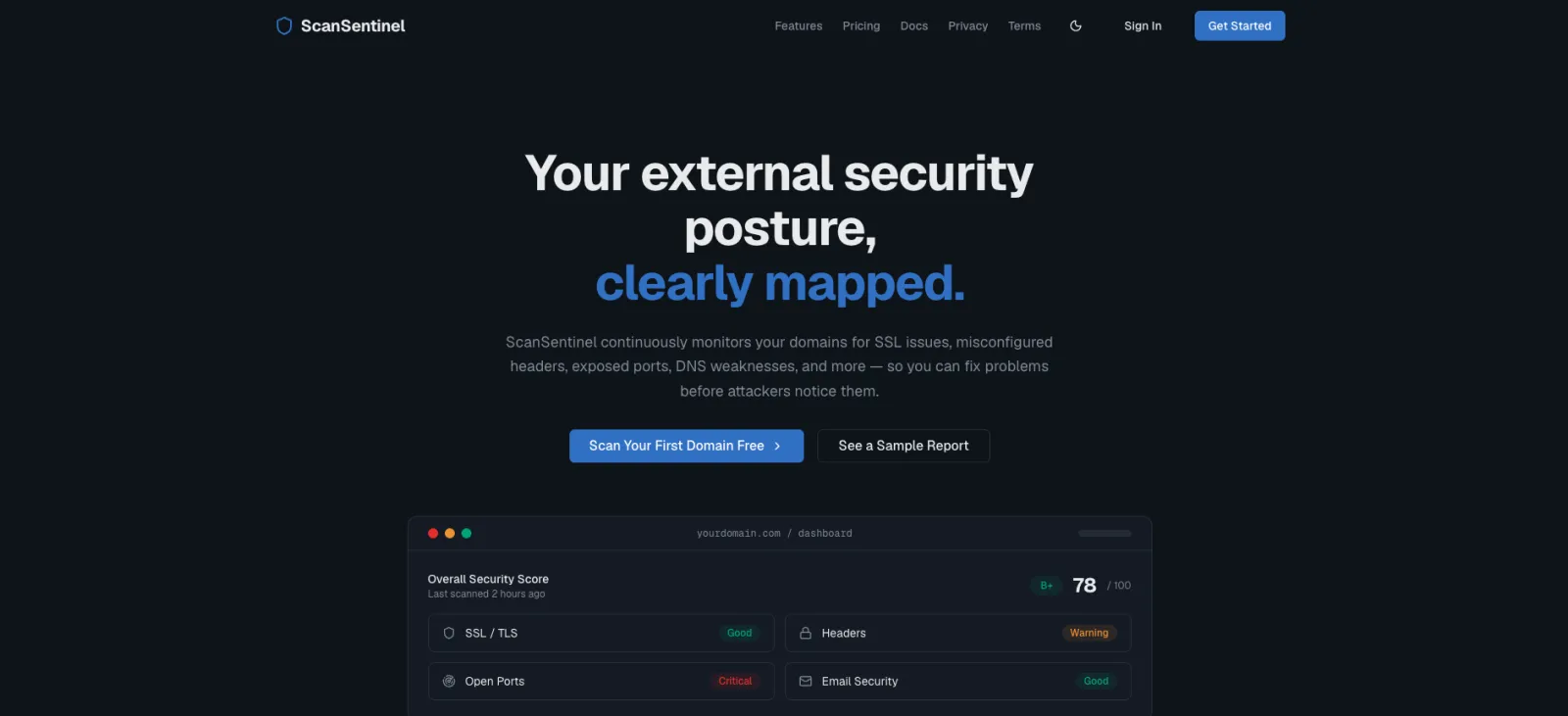
Table of Contents
How ScanSentinel Scores Your Security
Introduction
Every website faces external threats. Expired SSL certificates silently break user trust. Missing security headers leave visitors exposed to clickjacking and cross-site scripting. Open database ports invite attackers. And yet, for most businesses, monitoring these risks falls somewhere between "we'll get to it eventually" and "we didn't know that was a problem."
ScanSentinel exists because eventually is not good enough.
We built a platform that scans your domains from the outside — exactly the way an attacker would — and gives you a clear, actionable picture of your external security posture. No agents to install. No configuration files to maintain. Just your domain and a few clicks.
This article introduces ScanSentinel: what it does, who it's for, how it works, and how you can get started in under five minutes.
What Is ScanSentinel?
ScanSentinel is a multi-tenant website cyber hygiene platform. Think of it as a continuous health check for the public-facing parts of your infrastructure.
When you add a domain to ScanSentinel, our scanning engine examines multiple attack surfaces:
SSL/TLS certificates — Are they valid? When do they expire? Are there weak cipher suites in use?
HTTP security headers — Are HSTS, CSP, X-Frame-Options, and other protective headers present and properly configured?
Open ports — Are FTP, MySQL, Redis, or other sensitive services accidentally exposed to the internet?
Email security — Are SPF, DKIM, and DMARC records in place to prevent domain spoofing?
TLS configuration — Does the server still support outdated and vulnerable TLS 1.0 or 1.1?
Web path discovery — Are development panels, admin interfaces, or configuration files accessible?
Each scan produces a security score from 0 to 100 with a letter grade (A through F), along with a list of findings sorted by severity. You can run scans on demand or schedule them to run automatically on a daily, weekly, or monthly cadence — depending on your plan.
The platform is multi-tenant, meaning agencies can manage multiple clients from a single account, each with isolated domain lists and scan results.
Who Is ScanSentinel For?
ScanSentinel serves three primary audiences:
Digital Agencies and MSPs
If you manage websites for clients, you're responsible for their security — whether your contract says so or not. When a client's SSL certificate expires and their site shows a browser warning, they call you. When their WordPress admin panel is indexed by Google, they call you. ScanSentinel gives agencies a single dashboard to monitor all client domains, catch issues before they become incidents, and generate professional reports that demonstrate the value of your retainer.
Independent Developers and Freelancers
You deploy client projects and move on to the next one. Six months later, that perfectly configured CSP header has been accidentally removed by a plugin update. ScanSentinel keeps watching so you don't have to. Add domains after launch, set them to weekly or daily scanning, and receive email alerts when anything changes. It's like having a security intern who never sleeps and costs less than a coffee subscription.
Small and Medium Businesses
You may not have a dedicated security team, but you still have customers who trust you with their data. ScanSentinel's free tier lets you monitor up to three domains with weekly scans — enough for most small businesses to cover their primary website, web app, and API endpoint. The dashboard uses plain language, not security jargon, and every finding includes remediation guidance written for non-specialists.
Key Features Overview
Comprehensive Scan Engine
Every scan checks multiple dimensions of your external security posture. We don't just check one thing and call it a day. Our engine evaluates SSL certificates, TLS configuration, HTTP security headers, open ports, DNS records for email authentication, web-accessible paths, and more — depending on your plan level.
Automated Scheduled Scanning
Configure a scan schedule and let ScanSentinel do the work. Pro plans support daily scanning across up to 25 domains. Business plans support real-time scanning for unlimited domains. Free plans get weekly manual scans. Every scan result is stored in your history so you can track improvement over time.
Intelligent Alerting
When a scan finds something wrong, you'll know about it. Alerts are classified by severity — Low, Medium, High, and Critical — and can be delivered via email or webhooks to integrate with Slack, Discord, or your internal tooling. You can mark alerts as resolved once you've fixed the underlying issue, and the platform tracks your response time.
Professional Reporting
Generate reports with executive summaries, severity breakdowns, and detailed remediation guidance for each finding. Share them with clients to demonstrate proactive security management, or with compliance auditors to evidence your monitoring practices.
Multi-Tenant Architecture
Designed from the ground up for agencies and teams. Each tenant (organisation) has its own isolated set of domains, scans, findings, and alerts. Invite team members with appropriate permissions. Switch between tenants if you manage multiple organisations.
No Agent, No Installation
ScanSentinel scans from the outside in. You never install software on your servers, modify your application code, or configure an agent. Add a domain, verify ownership via DNS record or file upload, and you're scanning within minutes.
How ScanSentinel Scores Your Security
Each scanner module produces a score from 0 to 100. The overall security score for a domain is a weighted composite across all applicable scanners.
Here's how individual scanners calculate their scores:
SSL/TLS Certificate: Certificate validity, time until expiry, issuer trust
Security Headers: Presence of 7 key headers, weighted by importance (HSTS and CSP: 20 points each; X-Frame-Options and X-Content-Type-Options: 15 points each; X-XSS-Protection, Referrer-Policy, and Permissions-Policy: 10 points each)
Open Ports: Starts at 100; deductions for unexpected open ports (high-risk: -15, medium-risk: -8, low-risk: -3)
TLS Configuration: Checks for TLS 1.0/1.1 support and weak cipher suites
DNS/Email Security: Validates SPF, DKIM, and DMARC record presence and correct configuration
The composite score maps to a letter grade:
90–100: A
80–89: B
70–79: C
60–69: D
Below 60: F
Scan history tracks your scores over time, so you can see whether your security posture is improving, stable, or degrading.
The Free Tier
We believe every website operator should have access to basic security monitoring. The Free plan includes:
Up to 3 domains — enough for a small business website, a web application, and an API
SSL certificate monitoring — catch expiring and invalid certificates
Security header analysis — check for all 7 critical security headers
Open port scanning — discover accidentally exposed services across 16 common ports
Weekly manual scanning — run up to 10 scans per month
Email alerts — receive notifications when issues are found
No credit card required. No time limit. The Free plan is free forever, and it uses the same scanning engine as our paid plans.
When you outgrow the Free plan — because you need more domains, daily scanning, TLS configuration audits, or email security checks — upgrading takes seconds from the billing dashboard.
How to Get Started
Sign up at scansentinel.io with your email or Google account. No credit card needed for the Free plan.
Add your first domain from the dashboard. Enter the domain name you want to monitor — your main website is a good place to start.
Verify ownership by adding a TXT record to your DNS configuration or uploading a verification file to your web server. This confirms you're authorised to scan the domain. It takes less than a minute.
Run your first scan. Click "Scan" and our engine will check your SSL certificate, security headers, open ports, and more. Results appear in seconds.
Review your findings. Each issue includes a severity rating, a plain-English explanation, and step-by-step remediation guidance. Mark findings as resolved once you've addressed them.
Set up a schedule. Configure weekly or daily automated scans so you never miss a change in your security posture.
Invite your team. Add colleagues or clients so everyone can see the security status of the domains they're responsible for.
The entire process — from signup to first scan results — takes under five minutes.
Actionable Recommendations
Start with your most critical domain. If you run an e-commerce site, a SaaS application, or any site that handles customer data, scan that one first.
Don't stop at one scan. Security posture changes over time. A clean scan today doesn't guarantee a clean scan next month. Set up a schedule.
Share reports with stakeholders. If you're an agency, send monthly reports to your clients. If you're in-house, send them to your manager. Visibility creates accountability.
Fix the high-severity findings first. ScanSentinel ranks findings by severity. Start at Critical, work down to Low. The remediation guidance tells you exactly what to do.
Upgrade when you need more. The Free plan is a real product, not a trial. But if you need daily scanning, unlimited domains, or email security checks, the Pro and Business plans are ready when you are.
Try ScanSentinel Today
Your website's security posture is visible to everyone on the internet — including the people you'd rather not see it. ScanSentinel makes that posture visible to you first.
Sign up for free at scansentinel.io, add a domain, and run your first scan in under five minutes. See what the outside world sees, and fix what needs fixing.